
| Overview | Download | Mac | Mobile | Components | Screenshots | Support | SDK |
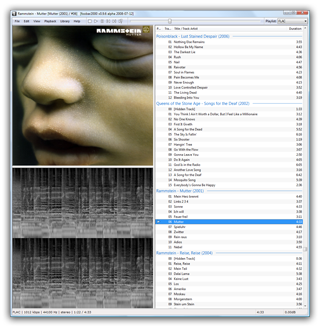 foobar2000 is an advanced freeware audio player for the Windows platform.
foobar2000 v2.1 final has been released.
Download...
foobar2000 for Mac v2.6 final has also been released.
Download foobar2000 for Mac...
foobar2000 v2.1 preview is now available in Microsoft Store.
Existing installations will not be automatically upgraded, as doing so would make 32-bit add-ons non-functional. Instead, foobar2000 v1.x was renamed to "foobar2000 classic", is available separately and is still receiving securtity updates.
At last, foobar2000 mobile v1.4 final has been released and is available via auto update on Google Play and as stand-alone APK.
Please note that if you added Android SD card folders manually in past versions, you might have to re-add them to get them indexed, due to removal of Android sandbox support.
|
PerfectTUNES
a helping hand for your audio collection 
Add or upgrade Album Art, De-Dup and check for ripping errors |
dBpoweramp CD Ripper
CD ripping taken seriously 
Secure Ripping from the inventors of AccurateRip, fast & bit-perfect CD ripping |
dBpoweramp mp3 Converter
music conversion perfected 
Trusted by 30 million people, easy conversion between audio formats |